AvPlan Lite2.10
Publisher Description
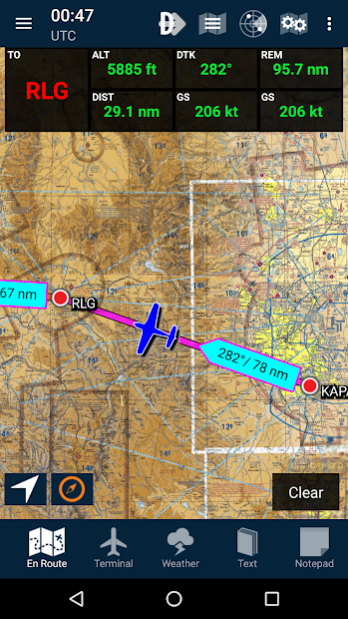
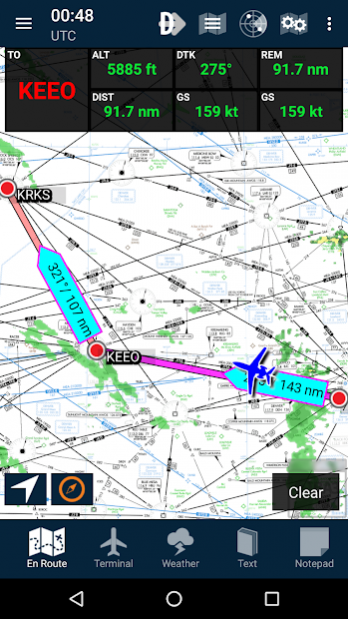
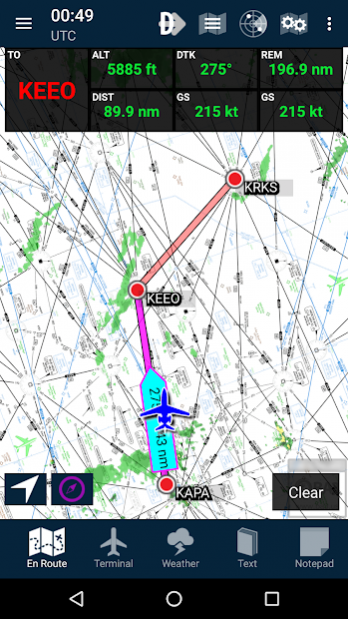
Get flying faster with AvPlan Lite for Android.
AvPlan Lite is a simple to use electronic flight bag for Android which combines all the necessary in-flight maps, charts, airport information in a simple to use app that reverses the EFB features 'arms race’.
Tap the map for direct-to navigation, multi-leg route building and quick access to terminal information.
Including seamless VFR and IFR charts for the United States, TAF, NOTAM and Forecasts.
AvPlan Lite includes all Sectional and Enroute charts. The AF/D and terminal procedures are included. TAF and NOTAM coverage is also provided.
An optional IFR upgrade subscription adds EnRoute High and Terminal Charts.
Install today for a free 30 Day trial. Subscriptions are available for purchase at: www.avplan-efb.com/shop
About AvPlan Lite
The company that develops AvPlan Lite is AvSoft Australia Pty Ltd. The latest version released by its developer is 2.10.
To install AvPlan Lite on your Android device, just click the green Continue To App button above to start the installation process. The app is listed on our website since 2018-03-26 and was downloaded 43 times. We have already checked if the download link is safe, however for your own protection we recommend that you scan the downloaded app with your antivirus. Your antivirus may detect the AvPlan Lite as malware as malware if the download link to au.com.avsoft.avplanlite is broken.
How to install AvPlan Lite on your Android device:
- Click on the Continue To App button on our website. This will redirect you to Google Play.
- Once the AvPlan Lite is shown in the Google Play listing of your Android device, you can start its download and installation. Tap on the Install button located below the search bar and to the right of the app icon.
- A pop-up window with the permissions required by AvPlan Lite will be shown. Click on Accept to continue the process.
- AvPlan Lite will be downloaded onto your device, displaying a progress. Once the download completes, the installation will start and you'll get a notification after the installation is finished.
Program Details
System requirements
Download information
Pricing
Version History
version 2.10
posted on 2018-03-26
Fixed bug crash on startup
Fixed bug with downloads after navdata update
Added Airmets to GAF view
Added Icons for Android 8
Added ability to create user waypoint from address
Removed GAF view for devices with an Android version < 5
Added License agreement on startup
Ordered GPWT charts
Ordered Naips charts
Documents are now downloadable using "other downloads" button in data downloads
Fixed bug with Weather charts not available when offline
General Bug Fixes
version 2.5.2
posted on 2017-11-15
Fixed bugs
Updated some strings
Add weather options for more regions
version 2.3.1
posted on 2017-01-10
Bug fixes
version 2.3
posted on 2016-09-16
Multiple speed and stability improvements,Reloads route on startup,Track is removed from map when cleared in settings,close button for Area Forecast
